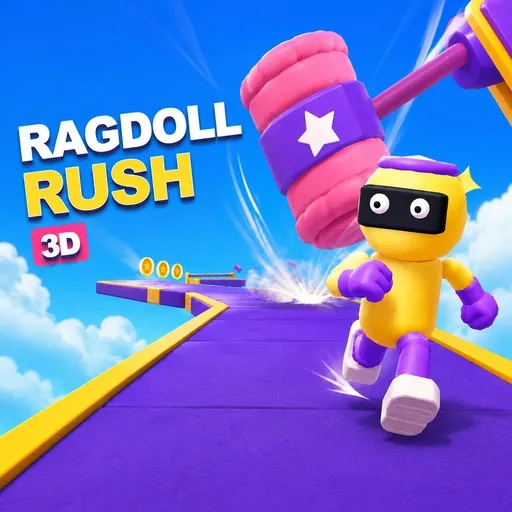
Watch your ragdoll tumble through Ragdoll Rush 3D: Sky Race as you race rivals, leap over traps, grab coins, and conquer colorful obstacle courses.
Welcome to the Sky-High Race
Imagine standing on a racetrack suspended in mid-air, with giant swinging hammers ahead and three characters poised to dash toward the finish line. This is the chaotic, fun-filled setting of Ragdoll Rush 3D: Sky Race.
The game takes you through 25 obstacle courses spread across five colorful worlds. The terrain constantly shifts, and ragdoll-style physics mean your character can go tumbling at any moment.
You don't need a perfect run on your first try. What matters is mastering character control, utilizing checkpoints, and finding faster ways to complete each course.
Race Through Five Distinct Worlds
The journey is divided into five zones, each featuring its own set of tracks. In total, there are 25 courses to unlock and conquer.
The basic objective is straightforward: reach the finish line to unlock new courses. However, simply completing a race is just the first step if you want to achieve the best possible performance.
The levels are designed to throw unexpected situations your way. You might be in the lead, only to be suddenly knocked off the track by an obstacle. Consequently, the ability to recover from mistakes is just as important as speed.
Checkpoints Make Failure Less Painful
Not every fall forces you to start over from scratch. Checkpoints act as recovery points along the course.
If you run into trouble, you can resume from the checkpoint instead of having to replay the entire course. This is especially helpful in the final sections, where obstacles often demand precise timing.
This mechanic also encourages experimentation. You can boldly seek out faster routes without worrying that a minor mistake will wipe out all your progress in the level.
Turn Coins Into Useful Improvements
- Coin Magnet: Makes collecting coins easier.
- Faster Recovery: Reduces the time needed to get back on track after a fall.
- Extra Jump Timing: Improves handling during jumps.
Controls That Fit Any Screen
- WASD / Arrow Keys: Move.
- Space: Jump.
- Escape: Pause.
Keep Running, Falling, and Trying Again