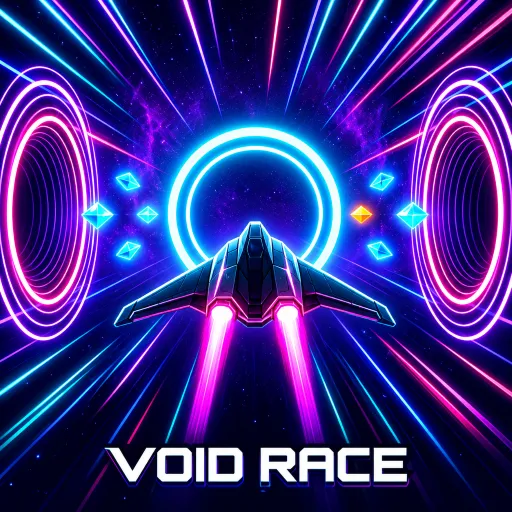
Void Race sends your ship into a shrinking neon tunnel where fast steering, smart boosts, and quick decisions determine how far you can fly.
Enter a Corridor That Never Stops Moving
Void Race propels you into a glowing space tunnel at ever-increasing speeds. Your ship constantly surges forward while the corridor walls shift shape and narrow around you. The longer you fly, the less time you have to make split-second decisions.
Along the way, you will encounter various hazards, such as pink spiked rings, blue arrow-shaped blocks, and zones that knock your ship off course. A single misstep can send you crashing into an obstacle or scraping against the walls for too long.
The goal isn't to complete a fixed level, but to keep flying for as long as possible. Every run offers a fresh opportunity to break your distance record and improve your score.
Read the Tunnel Before It Gets Faster
What makes Void Race increasingly difficult is the combination of high speed and confined movement space. As the ship travels deeper, observing the corridor ahead becomes more critical than relying on mere reflexes.
You should proactively position your ship advantageously before encountering obstacles. Small course corrections are generally easier to manage than constantly swinging the ship from one side of the tunnel to the other.
Gravity zones can also affect your trajectory, knocking the ship sideways or causing unexpected changes in direction. Therefore, maintain a safe buffer rather than flying too close to the tunnel walls.
Build a Better Ship Between Runs
- Thrusters: Improve acceleration and help maintain flight speed.
- Hull: Increase impact resistance, ideal for runs involving frequent obstacles.
- Core: Enhance capabilities related to the ship's central systems.
- Magnet: Help attract shards and items from more convenient positions.
- Launch Boost: Provide an acceleration advantage right at the start of the run.
Controls for Precise Neon Flying
- A / D: Steer the ship left or right.
- Left / Right Arrow: Move in the corresponding direction.
- Space: Activate Overdrive.
- Mobile Drag: Drag your finger in the direction you want to steer.
- Mobile Screen Sides: Press and hold the left or right half of the screen to change direction.
- Mobile Overdrive Button: Tap the on-screen button to use the special ability.
Explore More Reflex-Based Challenges